
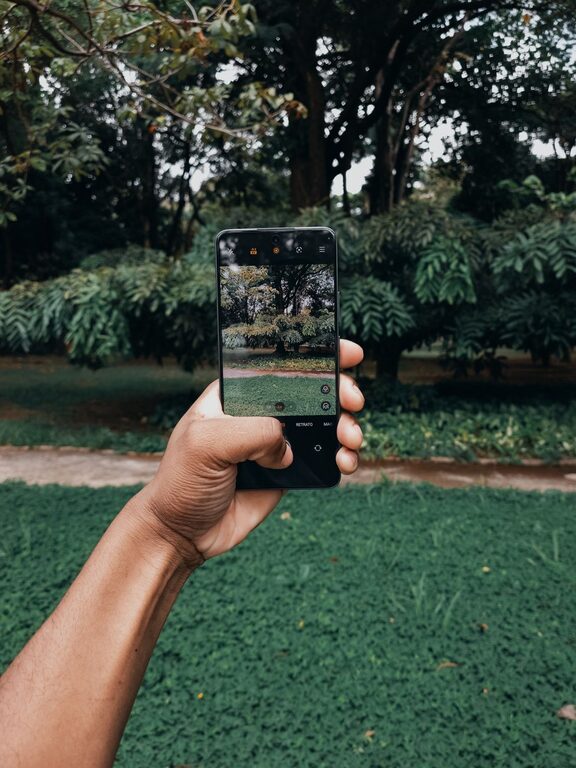
Photography with smartphones has become incredibly popular, and for good reason. Your phone is always with you, making it a convenient tool for capturing moments anytime, anywhere. However, taking great photos with a phone requires more than just pointing and shooting. If you’re new to phone photography, this guide is here to help you get better results with simple, practical tips.
Understand Your Phone Camera
Before diving into advanced techniques, spend some time exploring your phone’s camera features.
– Familiarize Yourself with Settings: Learn how to switch between modes like photo, video, portrait, and panorama.
– Explore Camera Options: Check if your phone has features like grid lines, HDR (High Dynamic Range), or manual focus.
– Keep Your Lens Clean: A clear lens ensures sharp, clean photos.
Use Natural Light Whenever Possible
Lighting can make or break a photo.
– Shoot in Soft Light: Early morning and late afternoon (golden hours) offer gentle, flattering light.
– Avoid Harsh Midday Sun: Direct sunlight often creates harsh shadows; if shooting midday, try to find shaded areas.
– Use Window Light Indoors: Position your subject near a window for natural, even lighting.
Compose Your Photo Thoughtfully
Good composition helps tell a story and makes your photo more engaging.
– Apply the Rule of Thirds: Enable your camera’s grid lines and place your subject along these lines or their intersections.
– Simplify Your Background: A cluttered background can distract from the main subject.
– Try Different Angles: Instead of shooting straight on, experiment with low or high angles for a fresh perspective.
– Look for Leading Lines: Use roads, fences, or other lines to guide the viewer’s eye toward your subject.
Focus and Exposure
Getting your focus and exposure right is key to sharp, well-lit photos.
– Tap to Focus: Most phones let you tap the screen to focus on a specific area.
– Adjust Exposure Manually: After focusing, look for a sun icon or slider to brighten or darken the image.
– Lock Focus and Exposure: Some phones allow you to lock focus and exposure settings to keep them consistent during a shoot.
Avoid Using Digital Zoom
Digital zoom reduces image quality by cropping and enlarging your photo.
– Move Closer Instead: Whenever possible, physically move closer to your subject.
– Use Optical Zoom: If your phone has multiple lenses with optical zoom, prefer using those for clearer zoomed photos.
Stabilize Your Phone
Even slight movements can blur your photos, especially in low light.
– Hold Your Phone Steady: Use both hands and tuck your elbows in.
– Use a Tripod or Stand: For longer exposures or night shots, a tripod can help keep your phone stable.
– Use Burst Mode for Action Shots: Burst mode takes multiple photos quickly, increasing the likelihood of a sharp image.
Experiment with Editing Apps
Editing can enhance your photos and bring your creative vision to life.
– Start with Basic Adjustments: Crop, straighten, adjust brightness, contrast, and saturation.
– Use Filters Sparingly: Filters can change the mood of a photo but avoid overdoing it.
– Explore Popular Apps: Check out apps like Snapseed, Lightroom Mobile, or VSCO for user-friendly editing tools.
Practice and Have Fun
Photography is a skill that improves with practice.
– Take Lots of Photos: Experiment with different subjects, lighting, and compositions.
– Review Your Photos: Look at what worked and what didn’t to learn from each shot.
– Challenge Yourself: Try new techniques like macro shots (close-ups), silhouettes, or reflections.
Bonus Tip: Know When to Use Portrait Mode
Many modern phones offer portrait mode, which blurs the background to make your subject stand out.
– Use for People and Objects: Portrait mode works well for photographing people, pets, or objects where you want a sharp subject and smooth background.
– Pay Attention to Distance: The phone usually requires a set distance to capture the effect properly.
– Keep the Lighting Good: Portrait mode performs best in well-lit conditions.
—
By applying these beginner-friendly tips, you’ll start to notice a significant improvement in your phone photography. Remember, the most important thing is to enjoy the process and capture the moments that matter to you. Happy shooting!