
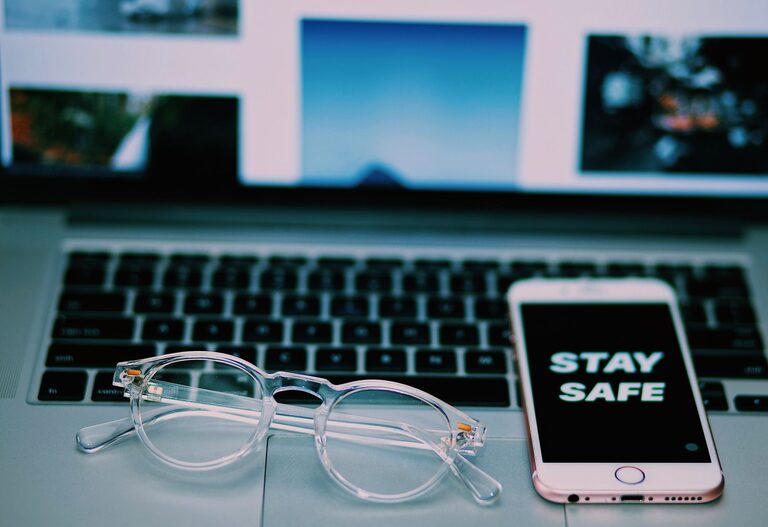
Keeping your phone and keyboard clean is essential—not only for hygiene but also for maintaining the longevity and performance of your devices. However, because these gadgets contain delicate electronics, it’s important to clean them carefully to avoid damage. This guide will walk you through the best practices to safely clean your phone and keyboard using simple household items.
Why Clean Your Phone and Keyboard?
Phones and keyboards are among the most frequently touched devices we own. This makes them hotspots for germs, dust, oil, and debris. Over time, buildup can affect how keys function or how the touchscreen responds. Regular cleaning can:
– Reduce bacteria and viruses on surfaces
– Improve device appearance
– Maintain proper functionality
– Prevent wear caused by grime and dust buildup
General Safety Tips Before You Start
Before you begin cleaning your phone or keyboard, keep these safety tips in mind:
– Power Off: Always turn off your device and unplug it from power sources.
– Avoid Excessive Moisture: Liquids can damage electronics if they seep inside. Use damp—not wet—materials.
– Use Gentle Cleaners: Strong chemicals like bleach or ammonia can harm screens and finishes.
– Be Gentle: Avoid pressing too hard, which might damage delicate components.
With these precautions in mind, let’s look at the cleaning steps for each device.
How to Clean Your Phone Safely
Phones have sensitive screens and small openings like charging ports and speakers, so careful cleaning is necessary.
What You Need
– Microfiber cloth (soft and lint-free)
– Distilled water
– Isopropyl alcohol (70% or less) or screen-safe disinfectant wipes
– Cotton swabs
– Toothpick or soft brush (optional, for ports)
Step-by-Step Cleaning Guide
- **Turn Off Your Phone and Unplug Accessories**
Make sure the device is powered down and no cables are connected.
- **Remove the Case**
If your phone has a case, take it off and clean it separately with mild soap and water.
- **Prepare a Cleaning Solution**
Mix equal parts distilled water and isopropyl alcohol in a small spray bottle. Avoid using straight alcohol to protect coatings.
- **Dampen the Cloth**
Lightly spray the microfiber cloth with the solution—never spray directly onto your phone.
- **Wipe the Screen and Body**
Gently wipe all surfaces, including the back and sides. Use circular motions to remove fingerprints and grime.
- **Clean Ports and Small Spaces**
Use a dry cotton swab or toothpick wrapped in the cloth to carefully clean around ports and buttons. Avoid inserting anything deep into openings.
- **Dry Thoroughly**
Let your phone air dry completely before turning it back on or putting the case back.
Additional Tips
– Avoid household glass cleaners or bleach-based products.
– Use disinfectant wipes that are labeled safe for electronics if you prefer convenience.
– For phones with screen protectors, cleaning is the same; check the protector’s care instructions.
How to Clean Your Keyboard Safely
Keyboards collect dust, crumbs, and oils from fingers. Cleaning keeps the keys responsive and your workspace healthier.
What You Need
– Compressed air canister
– Microfiber cloth
– Isopropyl alcohol (70% or less)
– Cotton swabs
– Mild soap (optional for keycaps)
Step-by-Step Cleaning Guide
- **Turn Off and Unplug Your Keyboard**
Disconnect your keyboard from the computer or turn it off if wireless.
- **Shake and Tap Out Debris**
Flip the keyboard upside down and gently shake or tap it to dislodge loose particles.
- **Use Compressed Air**
Spray compressed air in short bursts between keys to blow out dust and crumbs.
- **Wipe the Surface**
Dampen a microfiber cloth with a mixture of water and isopropyl alcohol (50/50). Wipe the keys and surfaces carefully.
- **Clean Between Keys**
Dip a cotton swab lightly in the alcohol solution and clean around the edges of keys to remove grime.
- **Deep Clean Keycaps (Optional)**
If your keyboard allows, you can remove keycaps for deeper cleaning:
– Take a photo of your keyboard layout for reassembly.
– Use a keycap puller or gently pry off keycaps.
– Soak keycaps in warm soapy water for about 20 minutes.
– Rinse and dry completely before reattaching.
Additional Tips
– Avoid spraying cleaners directly on the keyboard.
– Be cautious with mechanical keyboards; excessive moisture can cause issues.
– For wireless keyboards, remove the batteries before cleaning.
Maintaining Clean Devices
Regular maintenance helps keep your phone and keyboard clean longer:
– Wash your hands regularly before using devices.
– Wipe devices weekly with a dry microfiber cloth.
– Use keyboard covers or phone cases to minimize dirt buildup.
– Avoid eating or drinking near your keyboard or phone.
Conclusion
Cleaning your phone and keyboard safely doesn’t have to be difficult or risky. By using gentle cleaning solutions, soft cloths, and following careful procedures, you can keep your devices looking fresh and functioning well. Incorporate these steps into your routine to protect your gadgets and promote a healthier environment.
—
Feel free to bookmark this guide and refer to it whenever your devices need a refresh!